You’re always in control of what’s live. To stop selling, set a single SKU — or your entire catalog — to Paused from your dashboard. Pausing sets those listings to zero across all retailer stores, so no new orders can come in. Any orders already paid before you paused still ship, so no customer is left waiting. When you’re ready to sell again, switch back from Paused and your listings reactivate — there’s nothing to re-add.
To pause a listing, just follow a few simple steps:
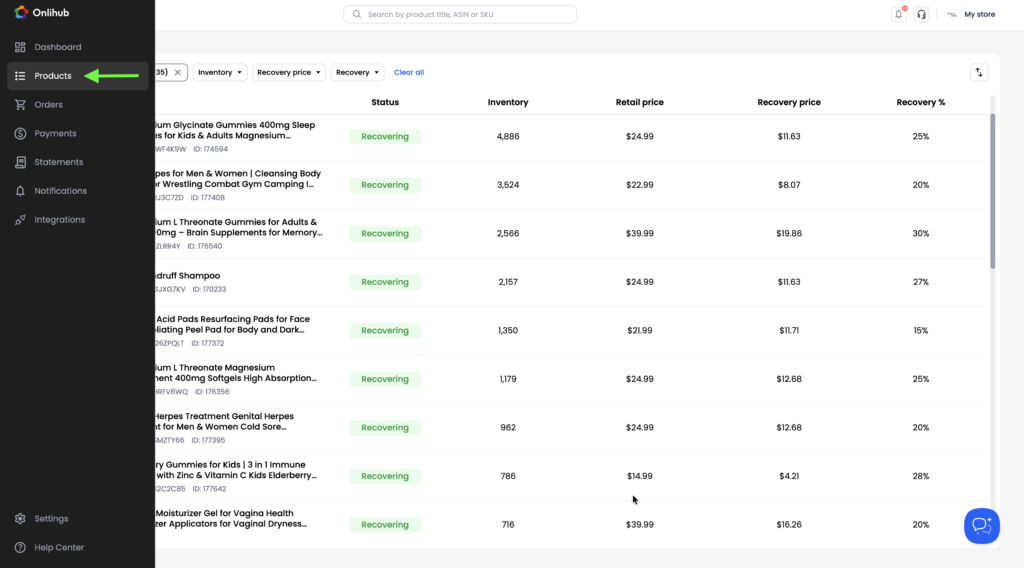
1. From the left-hand sidebar, click Products.
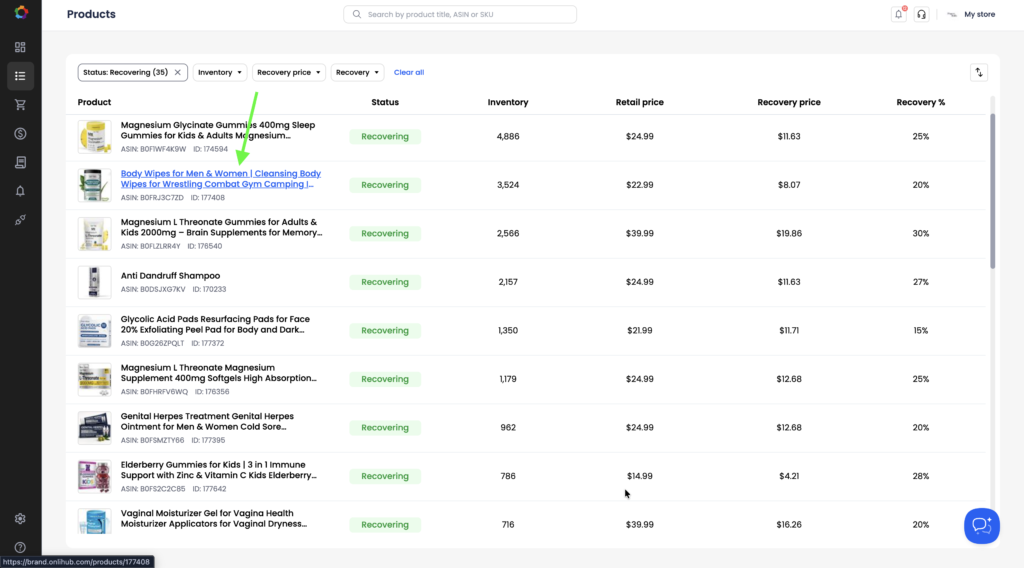
2. Click the title of the product you want to pause to open its product details.
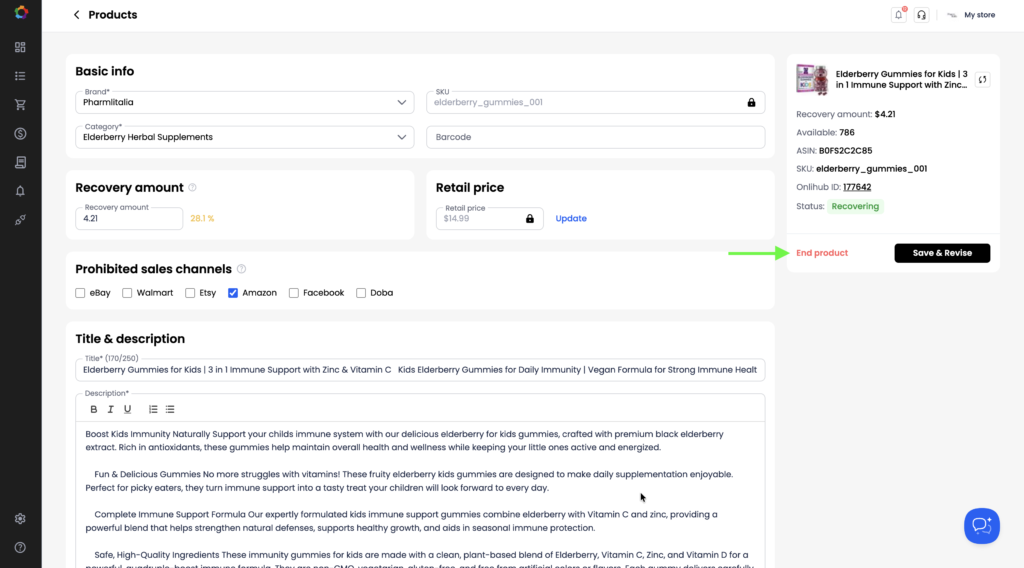
3. Click the End product button to stop selling it.
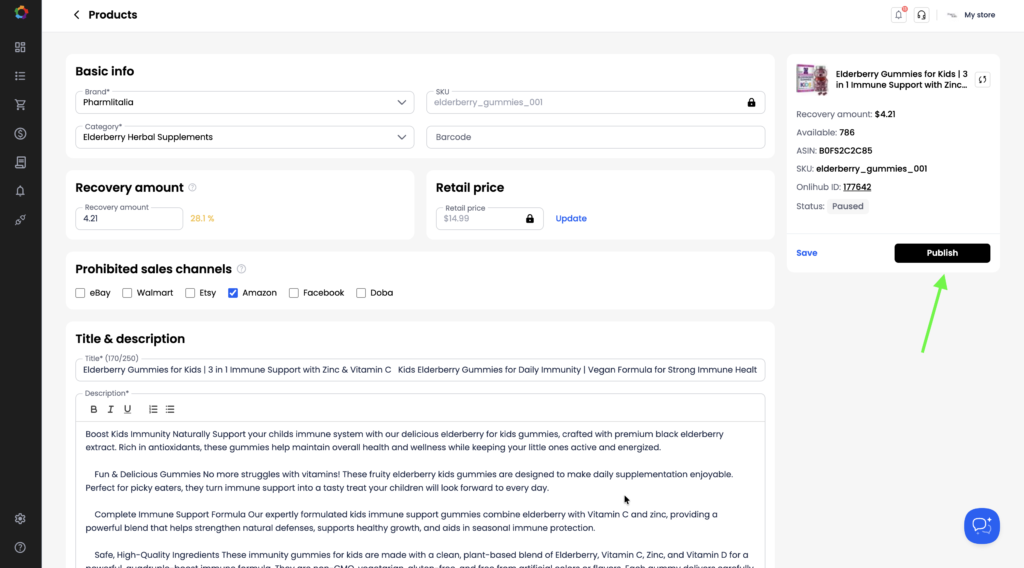
4. If you want to start selling a paused product again, open its product details page and click Publish.